


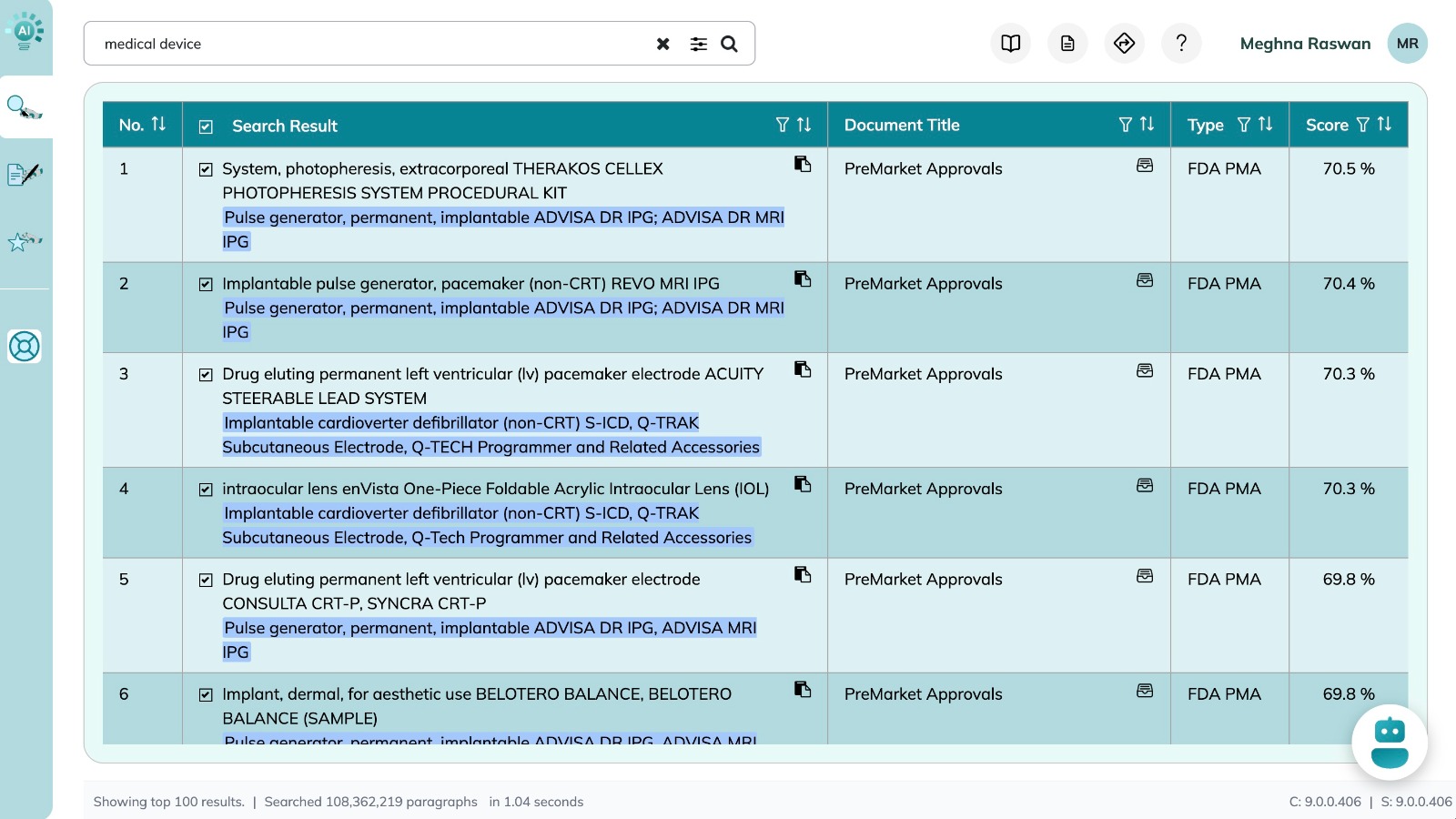

Nova AI Search Results
- Result Selection(
 and
and  ): By default ,results with a Score above 66% are auto-selected. You can manually select or deselect results to customize the AI Summaries in the Search Chat.
 - Please check Advanced Search for more information about Selection
-
Filter (
 ):Opens a column-specific filter popup for refining and narrowing down your resultsfor more precision. You can filter by Text, Document, Type, or Score.
-
Sort (
 ): Allows ascending or descending sorting for any column.
- Cite (
 ): Copies a permanent citation link for the selected result. This ensurest raceability in documentation.
 - Detailed Viewer(
 ): Displays the selected result with context in a dedicated view.
- For documents, this opens a dedicated document viewer in a new tab with the matched search result section highlighted. This allows for quick access to original documents for verification, and further insights as needed.
- For databases, this opens a dedicated table view with advanced search and filter capabilities.