


Nova AI Search Chatbot
Interact with the Search Chatbot to view concise summaries, and get insights quickly. Turn your hours of reading into minutes of understanding.
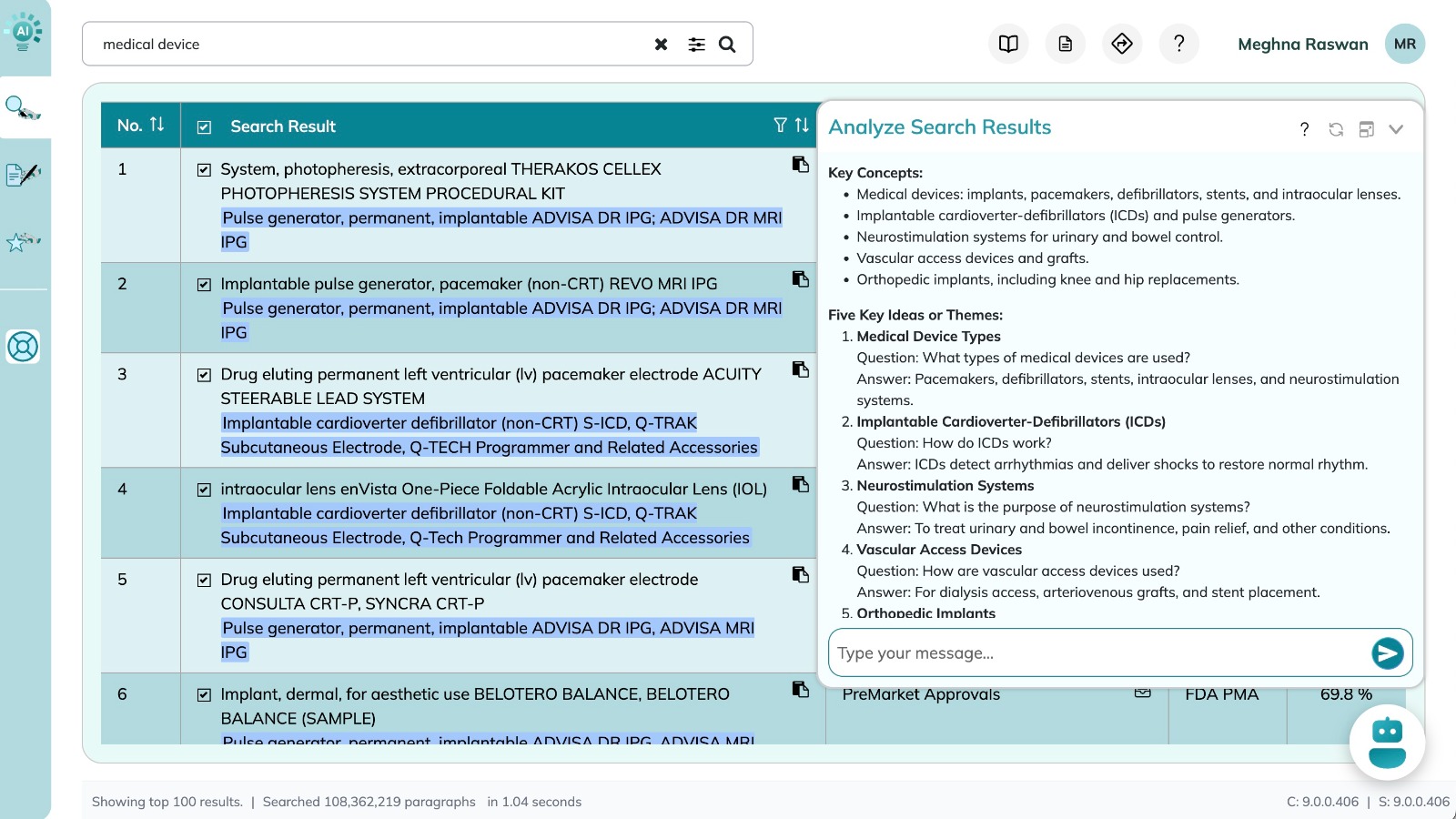

AI Search Chat
- Al Search Chat: Click the chat icon to interact with NovaAl. View the summary of all your relevant documents and ask follow-up questions.
- Chat History: Displays full history of your chat. With saved searches, you can also automatically load your previous chat history.
- Result Selection: Auto-selects results above66% relevance. Fine-tune the search chat by selecting specific rows in the search results table to include in analytics. This gives you full control over which sources the AI chatbot uses.
- To use, select the rows in the search results table to include in analytics, and click on chatbot. Now you can interact with the chatbot with the new result selections.
- AI Summary: This automatically displays a concise summary of search results. This feature also highlights other questions that can be asked.
- Chat with Search: Type follow-up questions to further analyze your search results. The chatbot will respond with citations to maintain full traceability of information.